
In order to be able to switch between Modules, please be sure to purchase more than one Modules.
For module purchases, please visit our website to make selection and purchase.
To switch between Modules, please following the instruction below:
Go to "Setting" - "School info"
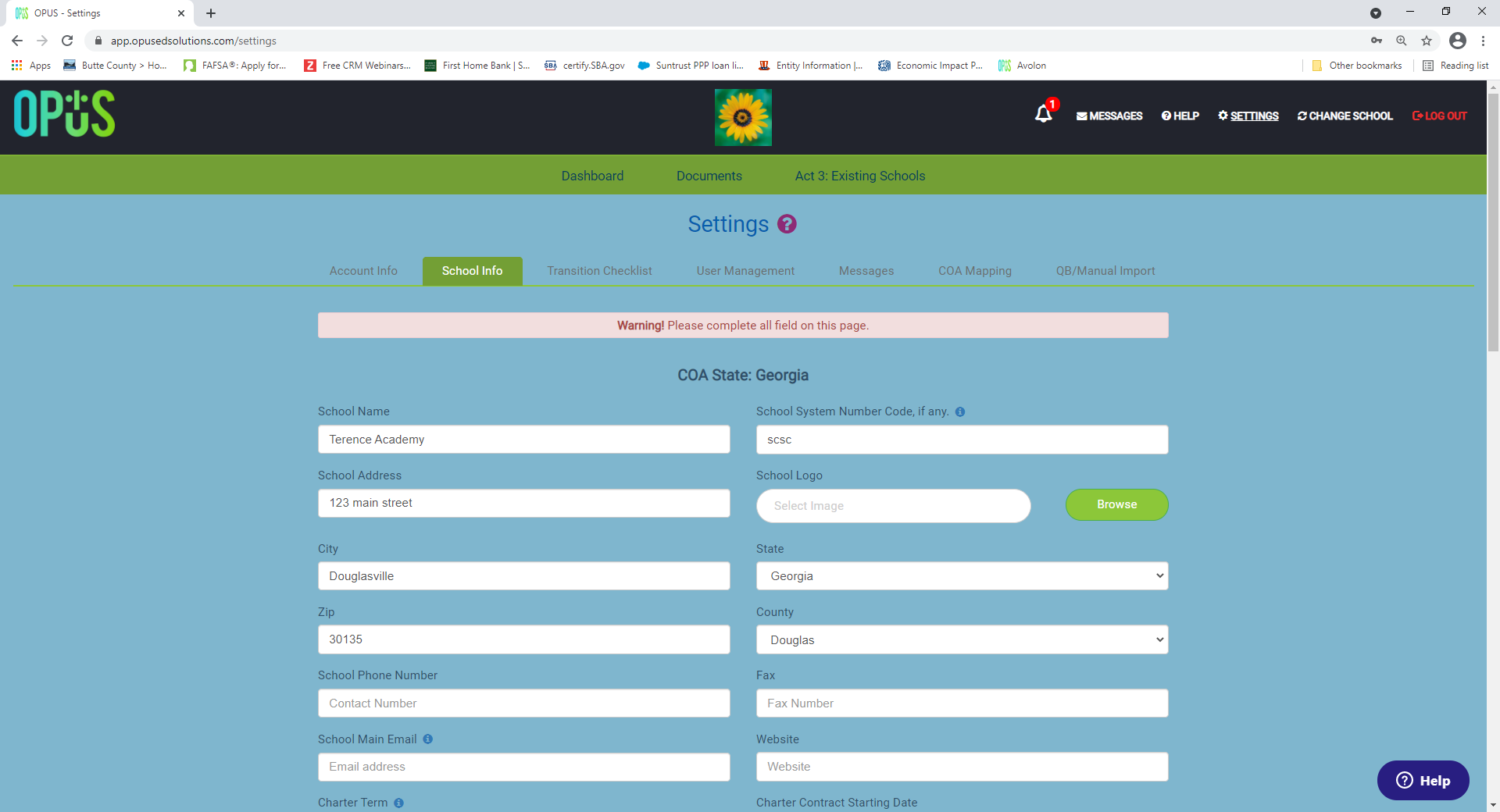
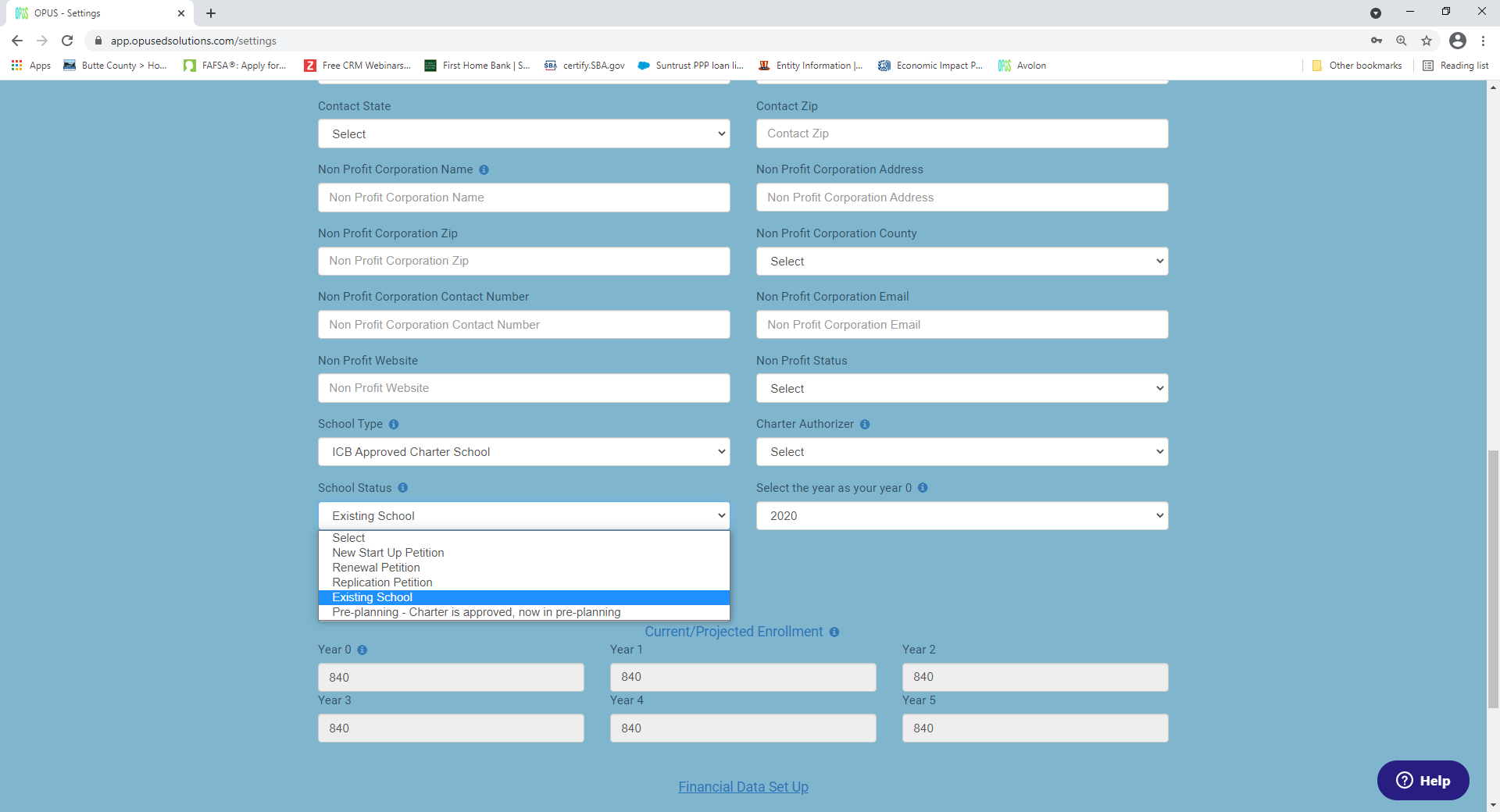
Go to the "School Status" selection, and change your "School Status".
After the selection, please be sure to click on "Save", otherwise the change won't take effect.
Once you've updated and Saved this change, you will now be able to see the different modules appears on your top menu bar.
 Please submit a ticket if you don't see your purchased Module appears.
Comments
0 comments
Please sign in to leave a comment.